Custom WordPress Plugin vs Off-the-Shelf: How to Choose
Should you build a custom WordPress plugin or use an existing one? Learn when each option makes sense, what to compare and a simple decision checklist.
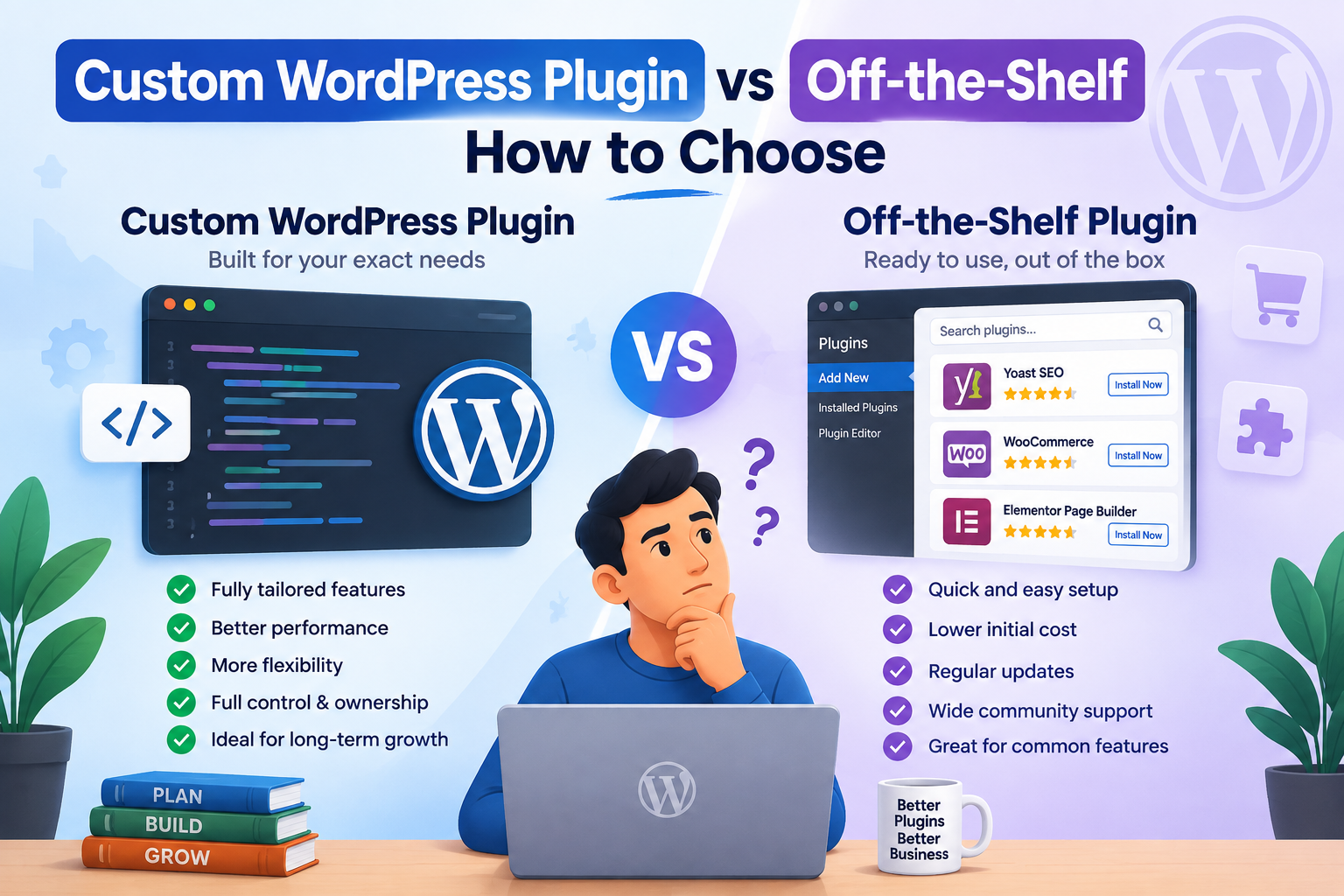
When your WordPress site needs a new feature, you have two main options: install an existing plugin or build a custom WordPress plugin. Both can be the right choice. The wrong one can leave you with a bloated site, surprise costs or features that never quite fit. This guide explains how to decide.
What counts as an off-the-shelf plugin?
Off-the-shelf plugins are ready-made tools, free or premium, built to serve thousands of sites. Forms, SEO, backups, caching and page builders are common examples. Because they are built for everyone, they usually include many settings and features that any single site will never use.
When an off-the-shelf plugin is the right choice
An existing plugin is usually the better option when:
- The feature is common and well solved, such as contact forms or backups
- A reputable, actively maintained plugin already does almost exactly what you need
- You need the feature quickly and your budget is limited
- Security and compatibility updates from a large developer community matter to you
For standard needs, rebuilding what a trusted plugin already does rarely makes sense.
When a custom WordPress plugin is the better choice
A custom WordPress plugin makes sense when your needs are specific to your business. Common signs include:
- Your workflow is unique. Existing plugins force workarounds or manual steps your team repeats every day.
- You need an integration. Connecting WordPress or WooCommerce to a CRM, ERP, courier, payment provider or internal system often needs custom code.
- You are stacking plugins. Several plugins are combined to fake one feature, adding weight and conflicts.
- Performance is suffering. A large multipurpose plugin loads code everywhere just to power one small feature.
- Subscriptions keep adding up. Paying yearly licences for premium add-ons you barely use can cost more over time than a focused solution.
Comparing the two options
| Factor | Off-the-shelf plugin | Custom WordPress plugin |
|---|---|---|
| Time to launch | Fast | Needs planning and development |
| Upfront cost | Low or free | Higher |
| Fit to your process | General | Built exactly for your needs |
| Performance | Can include unused features | Only the code you need |
| Integrations | Limited to what is supported | Connects to your own systems |
| Updates | Handled by the plugin author | Planned with your developer |
The middle ground: extend an existing plugin
You do not always have to choose one or the other. Well-built plugins, including WooCommerce, offer hooks and filters that let a developer add or change behaviour safely. A small custom add-on that extends a trusted plugin often gives you the best of both: proven core features plus the exact behaviour your business needs.
What you should avoid is editing a plugin’s own files. Those changes are wiped out at the next update.
What a good custom WordPress plugin should include
If you decide to build, quality matters more than speed of delivery. A well-made custom plugin should:
- Follow the official WordPress Plugin Handbook and coding standards
- Validate and sanitise input, escape output and check user permissions
- Use nonces to protect forms and actions
- Load scripts and styles only where they are needed
- Stay update-safe, without modifying WordPress core or other plugins
- Come with documentation, and clean up its data if it is uninstalled
A quick decision checklist
- Write down exactly what the feature must do, and for whom.
- Search for maintained plugins that meet at least most of those needs.
- Test the best option on a staging site for speed and conflicts.
- If it needs heavy workarounds or several extra plugins, consider extending it or building custom.
- Compare the long-term cost of licences and workarounds with a one-off build and maintenance.
Custom WordPress plugin FAQs
Is a custom WordPress plugin secure?
It can be very secure when it is built to WordPress security standards and maintained over time. Security depends on how the code is written, not on whether a plugin is custom or commercial.
Will a custom plugin break when WordPress updates?
Plugins built with WordPress APIs and standards are designed to keep working across updates. It is still wise to test major WordPress, WooCommerce and PHP updates on staging.
Who owns the code?
That depends on your agreement. At SPARLESOFT, ownership of custom work passes to you once the project is paid in full.
Not sure which route fits your project? Our WordPress plugin development team can review your requirements and recommend the simplest option. For store-specific features, see our WooCommerce development services or book a free consultation.